Automatically Push Down Out-of-Stock Products on Shopify
Pushy automatically pushes unavailable items to the bottom of your collection pages. Keep your SEO intact and your customers shopping.
Products Managed
5M+
Shopify Stores
250+
Average Rating (10 reviews)
5
Why Choose Pushy?
Automate your inventory management and protect your SEO rankings with our set-and-forget tools.
Automated Sorting
No manual work required. We monitor your inventory 24/7 and push out-of-stock items down automatically.
SEO Preservation
Keep URLs active without frustrating users with empty product slots at the top of the page.
Instant Re-stocking
Items return to their original position or the top of the collection immediately when back in stock.
How it works
Get setup in less than 2 minutes. No coding required.
Install the App
Add Pushy to your Shopify store from the App Store with one click.
Enable Auto-Push
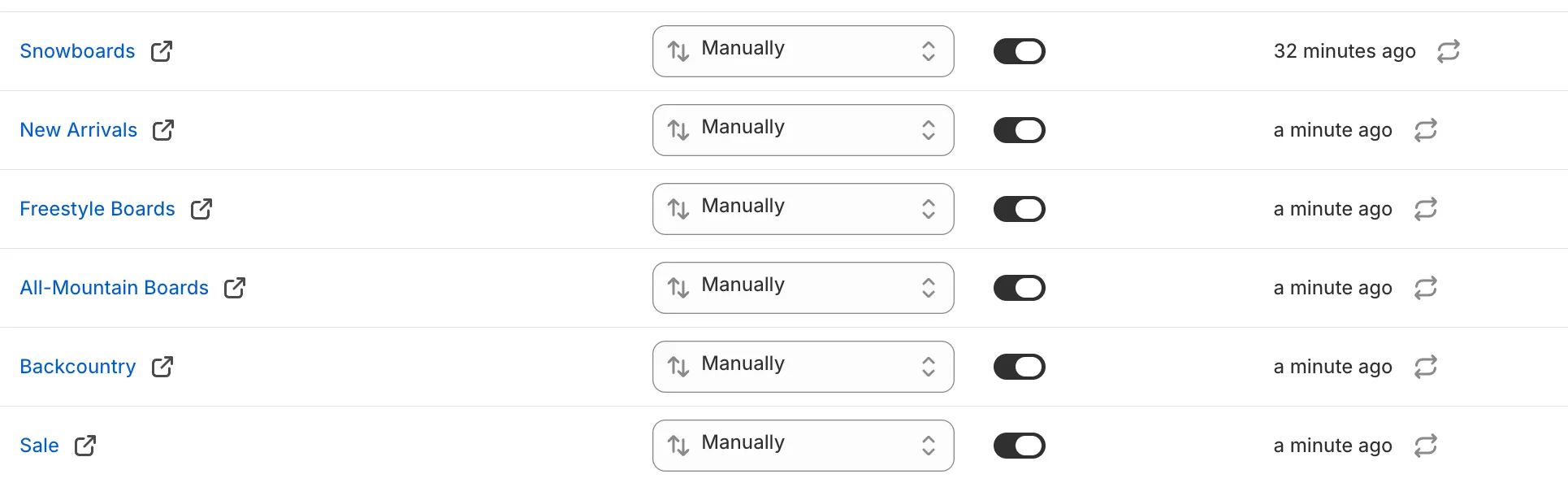
Toggle the feature on. Choose which collections to manage automatically.
Watch Sales Grow
Out of stock items moved to the bottom, keeping customers focused on what they can buy.
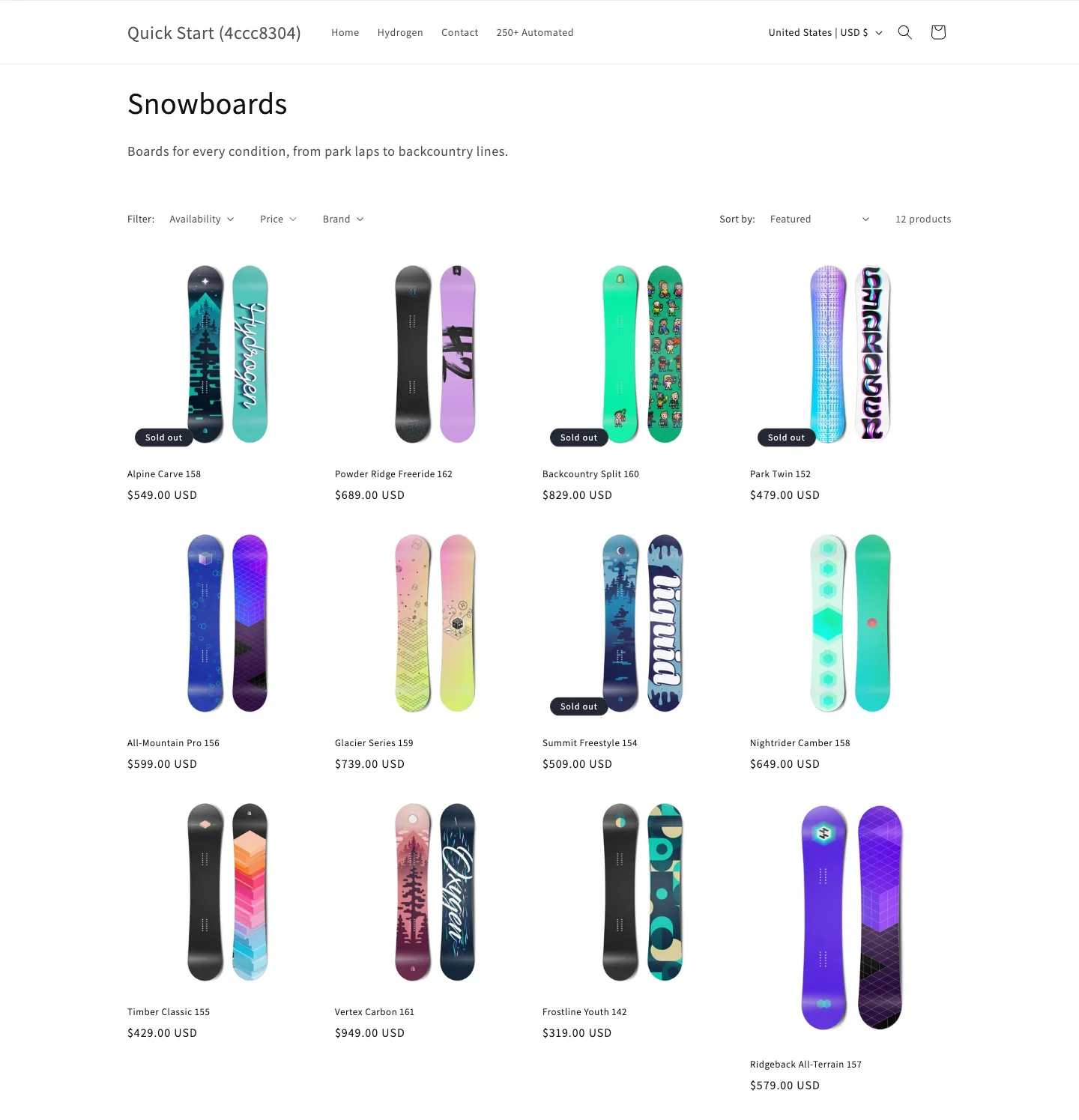
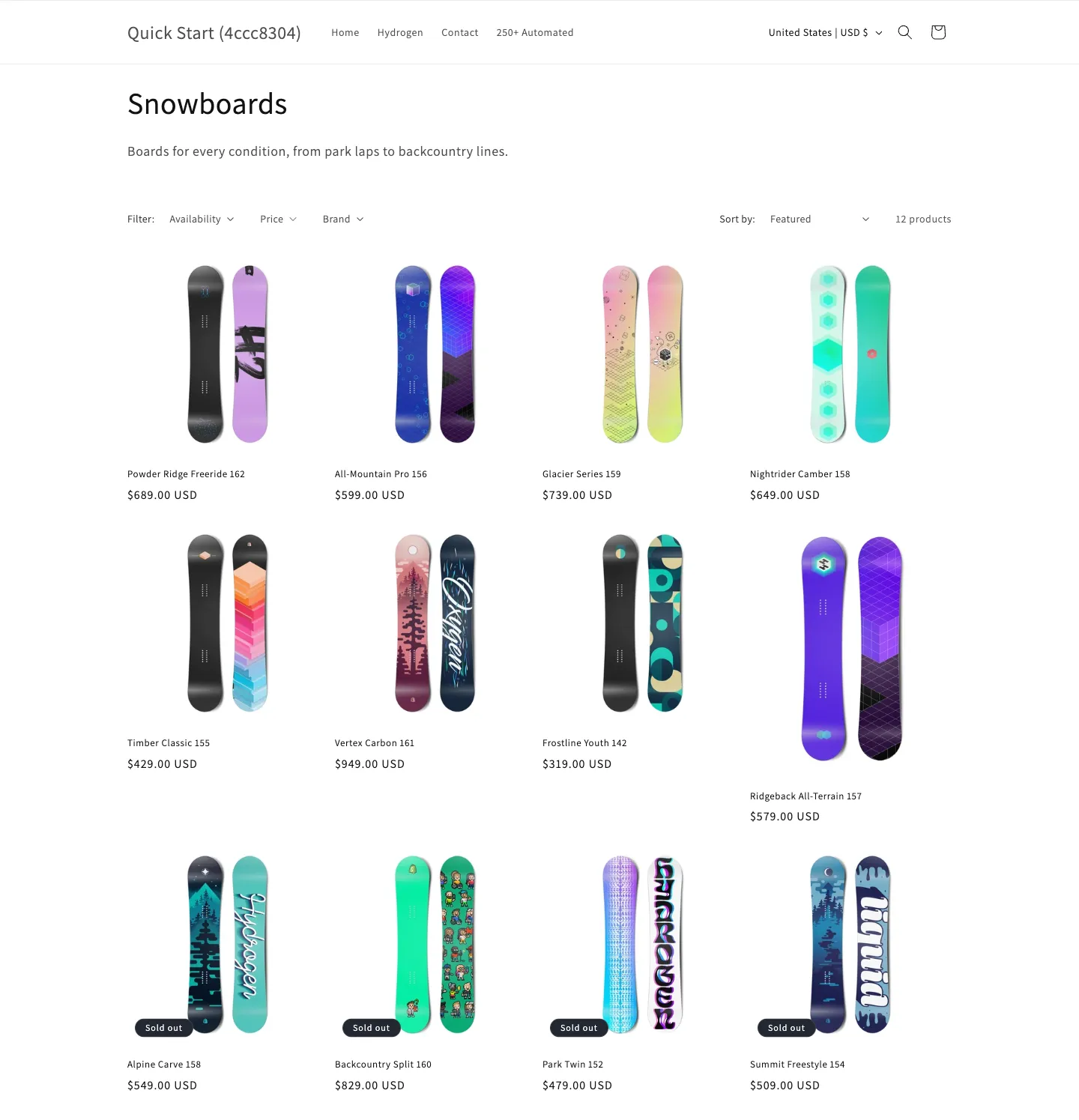
The same collection, before and after
A real Shopify collection page with twelve products, four of them sold out. Nothing was hidden or deleted between these two screenshots — Pushy only changed the order.
Sorting that happens the moment stock runs out
Most apps in this category re-sort on a schedule: nightly, or hourly if you pay for it. That's fine until something sells out at 9am in the middle of a promotion and sits at the top of your best collection until the next sync runs. Pushy reacts to Shopify inventory events as they happen, so the product drops the moment it hits zero. An hourly safety sync runs behind that, in case an event ever goes missing.
Real-time sorting is included on every plan, including the free one. Worth checking carefully if you're comparing apps, because elsewhere it's a paid add-on. We wrote up the difference in real-time vs. scheduled out-of-stock sorting.
Sorting that survives page two
Pushy sorts through Shopify's API, so it changes the actual order of the collection instead of rearranging whatever a shopper happens to be looking at. You notice the difference as soon as a collection runs past one page: theme-level sorting can only shuffle the products already loaded, so sold-out items pop straight back up at the top of page two. Because Pushy changes the underlying order, the fix holds across pagination, in the Shopify admin, and in any other app or sales channel that reads that collection.
It also means no theme edits. There's no Liquid to paste and no snippet to maintain, and nothing to re-do when you switch themes. Pushy works with every Shopify theme, custom ones included.
Sold-out products stay on the page
The quickest way to tidy up a collection page is to hide sold-out products, and it's usually the wrong one. Hide a product and you hide its URL, its internal links, and whatever ranking it had earned. Shoppers coming in from search hit a dead end, and you start from scratch when the product comes back.
Pushy never hides, unpublishes, or deletes anything. Sold-out products stay on the page, just further down, which is what Google recommends for items that are only temporarily unavailable. When stock returns, the product goes back where it was. If you'd sooner lead with restocked items, you can send them to the top instead. Either way the order you spent time arranging survives the stockout. More detail in how out-of-stock products affect Shopify SEO.
Keep the products you choose exactly where they are
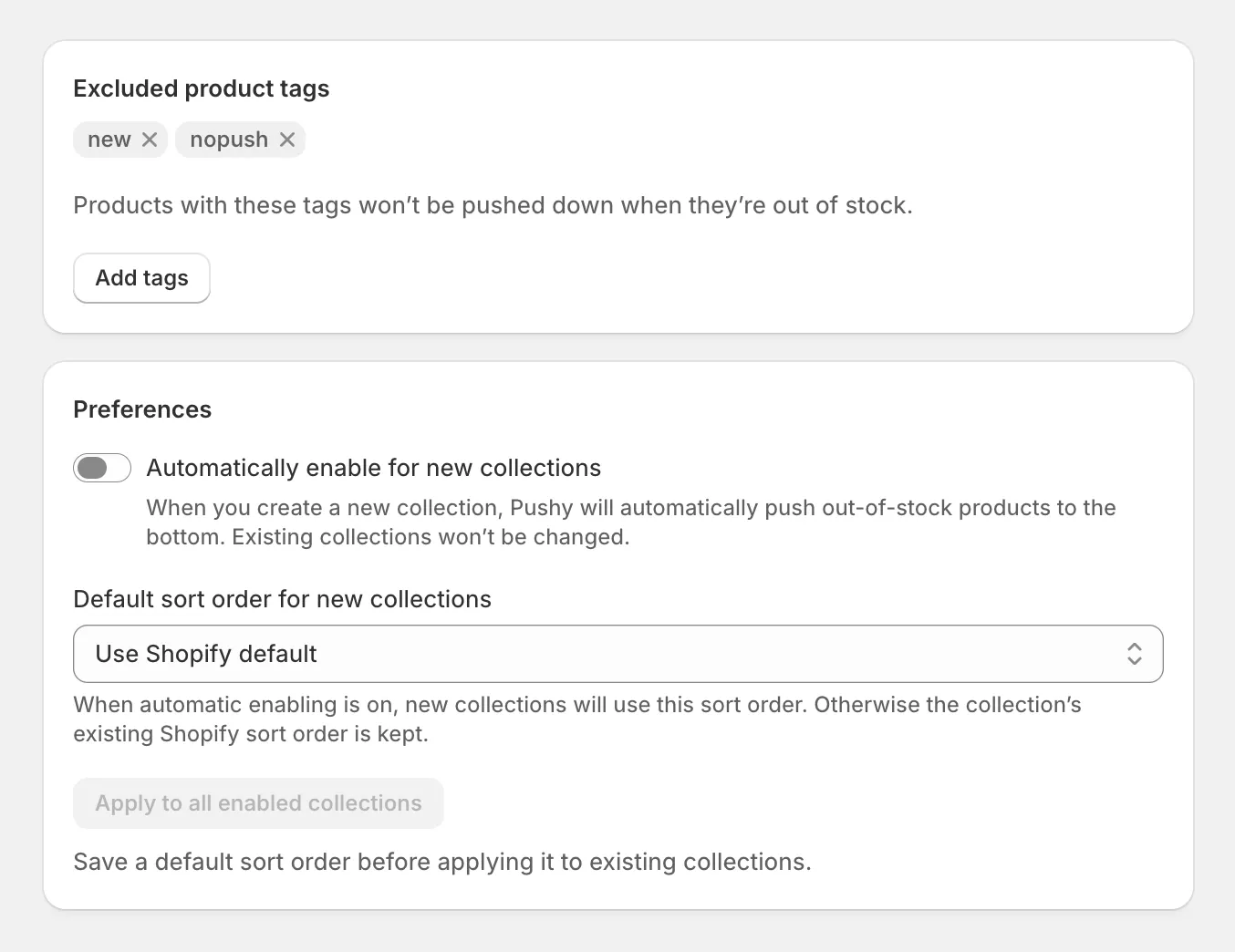
Automation shouldn't override a decision you made on purpose. Exclude products by tag and they stay put whatever their inventory says, which is what you want for pre-orders, made-to-order pieces, and the hero product you keep at the top of a collection whether or not it's in stock today. You also pick which collections Pushy manages, so anything you curate by hand can be left alone.
Loved by Merchants
“Great app. Very easy to set up and super fast feedback from their support team.”

Bins and Boxes
Switzerland
“The app met all the expectations we had for our shop. Definitely recommend Pushy.”

Abasto Vegano
Mexico
“5 star review based on support kindness and overall amazing customer service.”

Charming Beads
United Kingdom
Frequently Asked Questions
Does Pushy hide or delete my out-of-stock products?
No. Pushy only changes the order products appear in. Sold-out items stay published and keep their URLs, so your internal links and search rankings are left alone. They just move below the products people can actually buy.
Do I need to edit my theme or add any code?
No. Pushy sorts collections through Shopify's API instead of your theme, so there's no code to paste and nothing that breaks when you update or switch themes.
How fast does it react when something sells out?
In real time. Pushy responds to Shopify inventory changes as they happen, not on a nightly or hourly schedule, with an hourly safety sync running behind it as a backstop. Real-time sorting is included on every plan, the free one included.
What happens when a product comes back in stock?
Pushy puts it back where it was before it sold out, so your curated order survives the stockout. If you'd sooner show off restocked items, you can send them to the top of the collection instead.
Is there a free plan?
Yes, and it's permanent, not a trial: up to 5 collections, no product limit, and the same real-time sorting the paid plans use. Paid plans start at $3.99/month and include a 7-day free trial. See full pricing.
More questions? Read the full FAQ.
Ready to automate your inventory?
Join 250+ merchants saving time and increasing conversions today.
Get Started for Free